
Auto repair shop phone system vs mobile: how to handle calls
Compare a phone system with a mobile for your auto repair shop, route calls to the right person and stop every enquiry depending on one phone.
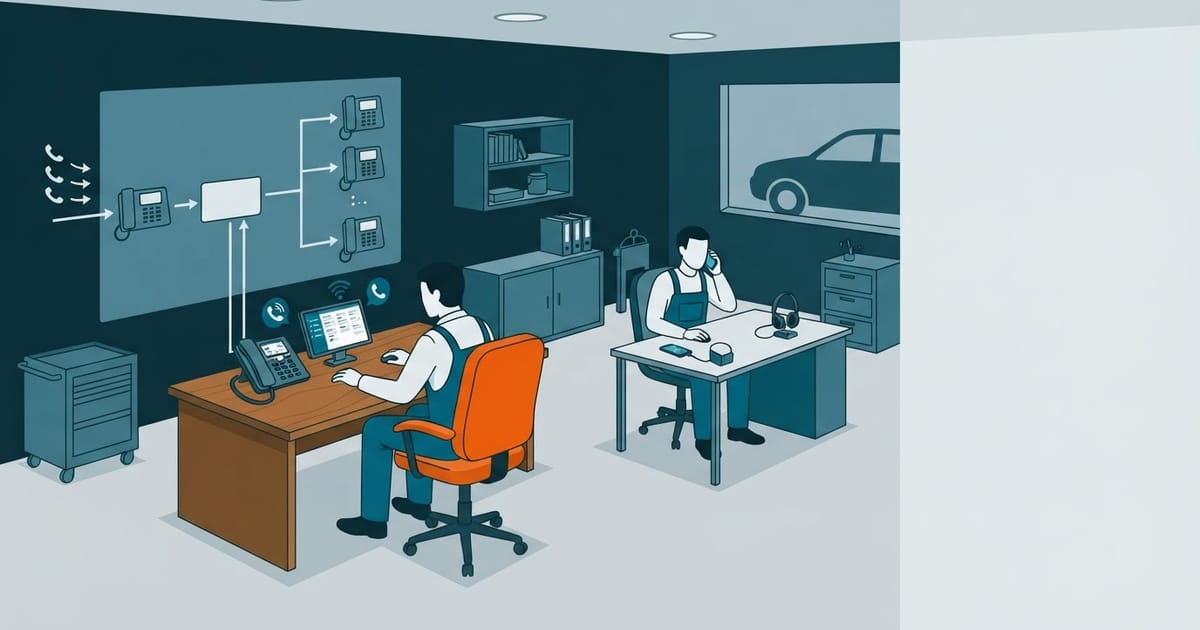
When a mechanic has their hands full, the workshop phone can ring unanswered. A cloud PBX for businesses can route the call to reception or a queue. The workshop still needs to decide who follows up on unanswered enquiries.
In short:
- A shared mobile phone interrupts whoever carries it; a cloud PBX distributes calls across extensions.
- For a quote request or a question about a car, decide who answers first and what happens if they do not pick up.
- A missed-call list does not bring customers back on its own. Someone must review each call and take responsibility for calling back.
- For three users, Universal Telecom’s cloud PBX costs 36 €/month + VAT with monthly payment, according to the tariff checked on 11 November 2026. The cost of a mobile phone does not tell you how calls are handled.
The difference is in what happens to each call, not just which device rings.
What happens when a repair shop relies on a mobile phone to take calls?
When a repair shop relies on a mobile phone, calls asking for a quote or an update on a car depend on whoever has the phone. If that person is working with their hands, the caller waits or the call goes unanswered—unless the shop has decided who else can take it.
With a shared mobile phone, whoever has it must decide whether to stop working and answer. If they do not, reception has to spot the missed call, find out what it was about and call back. Call forwarding can send the call elsewhere, but someone still needs to answer at the second number.
A cloud PBX can organise that flow through cloud PBX features such as extensions and call queues. Reception can take calls first without ringing a mechanic’s phone for every enquiry. The shop still needs to assign someone to review and return unanswered calls.
Related to this article
SIP Trunk
- Live within 24 business hours
- Works with the leading IP PBXs
- Number porting included
from €5/month excl. VAT
See SIP Trunk plansHow do ring groups route calls between reception and mechanics?
A ring group sets which extensions — the phones used to answer calls — receive a call and in what order. At a repair shop, reception should answer first. Mechanics should only take a call when it needs their input and they can step away from the job.
Reception can ask for the vehicle registration number and the reason for the call. If a customer wants an update on a repair, reception can find the mechanic handling it. If the customer asks about opening hours, reception can answer without interrupting the team.
This is a suggested call flow, not a confirmed product configuration. Universal Telecom’s cloud PBX includes extensions and call queues, but the available information does not specify how a ring group alerts its members. Ask to see that configuration before you sign up. If reception passes a query to a mechanic, it should explain the reason for the call so the customer can be transferred without repeating information.
What happens if reception cannot answer?
If reception cannot answer, a call to the repair shop’s mobile goes unanswered until someone checks the missed-call alert. With a PBX, the shop can route the call to another destination if the service supports forwarding unanswered calls. Someone also needs to check messages and return calls.
That destination could be another available member of staff. If they cannot answer either, tell callers how to leave a message rather than let the phone ring indefinitely. Ask for their name, phone number and reason for calling.
Before signing up, check the factors to consider when choosing a PBX to see whether you can set up that call route and review missed calls afterwards. Call forwarding does not replace reception: someone still needs to check what is pending and return every call.
You may also like
How are missed calls logged and returned?
To log and return missed calls, reception needs a searchable record of unanswered calls, including the number and time. The team also needs a process to assign each callback, note the reason for the call when known, and mark the enquiry as resolved. An alert alone does not ensure anyone calls back.
Reception can keep a working list with the number, time, person responsible and status of each enquiry. If the caller left a message, note it before calling back. This prevents two people from calling the same customer—or each assuming the other will do it.
Before signing up, check the features of each plan and ask how to access unanswered call records. The record is the starting point; assigning and closing each callback remains the repair shop’s job.
How much does a cloud PBX for a repair shop with three users cost compared with a mobile phone?
For a repair shop with three users, compare monthly and annual cloud PBX billing before choosing a plan. A mobile plan’s monthly charge alone does not show what it costs to answer and return calls.
| Option | Billing | What to check |
|---|---|---|
| Cloud PBX, three users | Monthly | Subscription and VAT |
| Cloud PBX, three users | Annual | Subscription and VAT |
| Mobile phone | Depends on the plan | Check the bill |
The cloud PBX includes extensions, a menu of options, call queues and a mobile app. Check the phone line, numbers and calls beyond the included minutes separately. If only one or two people answer calls, consider the Nomad virtual number before choosing a cloud PBX.
Frequently asked questions
Can I keep my repair shop’s phone number?
Yes. You can request to port your repair shop’s number to Universal Telecom. Before changing providers, check whose name is on the line and what documents you need to submit the request.
What happens if the repair shop’s connection fails?
Do not assume calls will be forwarded automatically. The available information does not confirm how the cloud PBX handles a connection outage. Before signing up, ask what happens to incoming calls and what alternative you can set up to keep answering them until service is restored.
Do we need a cloud PBX if only one or two people answer calls?
Not necessarily. Universal Telecom’s cloud PBX starts at three users. For one or two people, the suggested option is Nomad, a virtual number with an app and call forwarding. Choose based on who needs to answer: if reception and several staff members need a defined call route, consider the cloud PBX. If one person takes the calls, compare the simpler option first.
Can reception answer calls away from the repair shop?
Yes. The cloud PBX includes a mobile app and a phone you can use in a browser. Reception can answer from elsewhere if the user account is configured and there is a connection. First, decide who is on call and when. Installing the app does not mean someone will answer.
Can I test the call route before signing up?
Yes. Universal Telecom offers a trial. Use it to call as a customer would: ask for a quote, enquire about a vehicle and see what happens when reception does not answer. That lets you check the configured call route before relying on it during a working day.
Ask for a demonstration of the call route for your repair shop.
Ask for a demonstration of the call route for your repair shop
Written by Mehdi Chouikh, CEO.