
Cloud telephony

Virtual PBX

Handle every business call from the cloud, with no physical exchange to install. Numbers, extensions, voice menus and call routing are set up in minutes and scale with your teams.
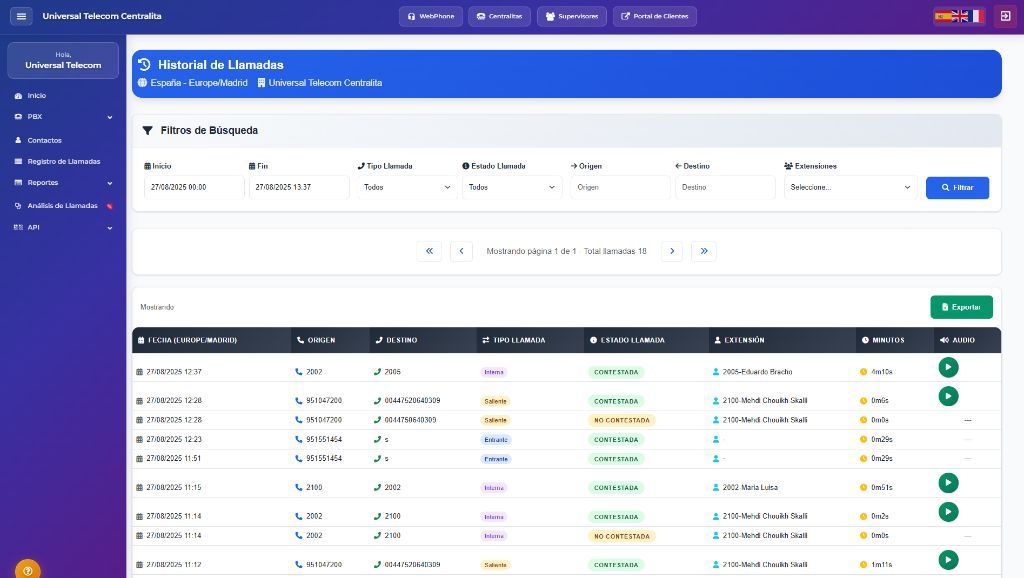
Call history in the Universal Telecom virtual PBX dashboard, with search filters and call recordings

Key features

IVR and voice menus

Greet every caller with a multilingual interactive voice response that routes them to the right department, around the clock.

Unlimited extensions

Give every colleague an extension wherever they work — office, remote or on the move — all under one company number.

Queues and schedules

Distribute calls by skill, set opening hours and craft your own on-hold messages.

Real-time analytics

Track call volume, answer rate and team performance from a single, clear dashboard.

Inside the cloud PBX

The screens you and your team will use every day: the UTcom Center app to make and take calls, and the web panel to run the PBX.
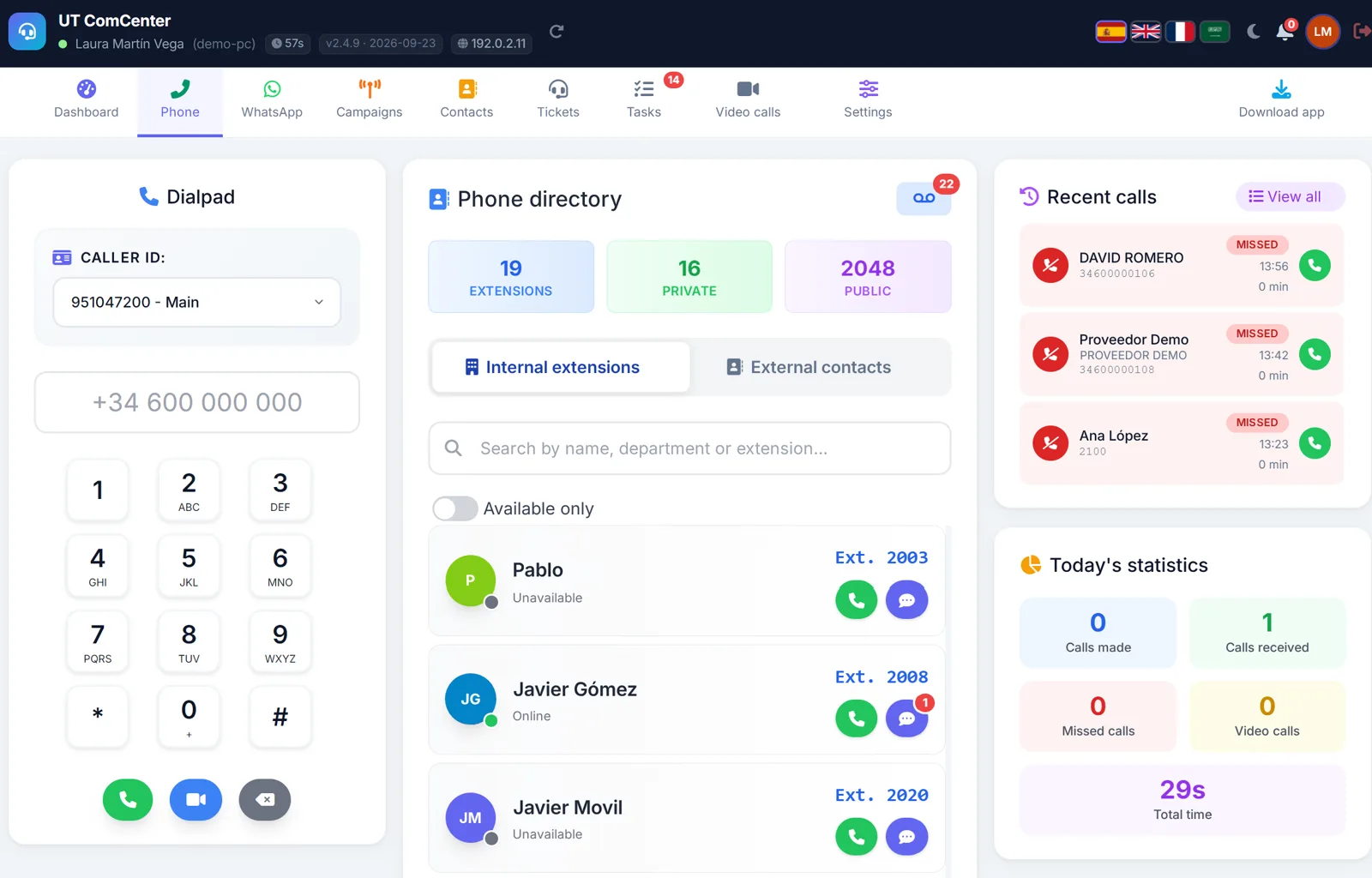
Phone tab in UTcom Center: dialpad showing the company number as caller ID, internal extensions directory with each person's status, recent calls and today's statistics. (opens the full-size image in a new tab)
UTcom Center, your team's app for calls and WhatsApp: dial out on the company number, see who's available and call back a missed call in one click. Sample data.
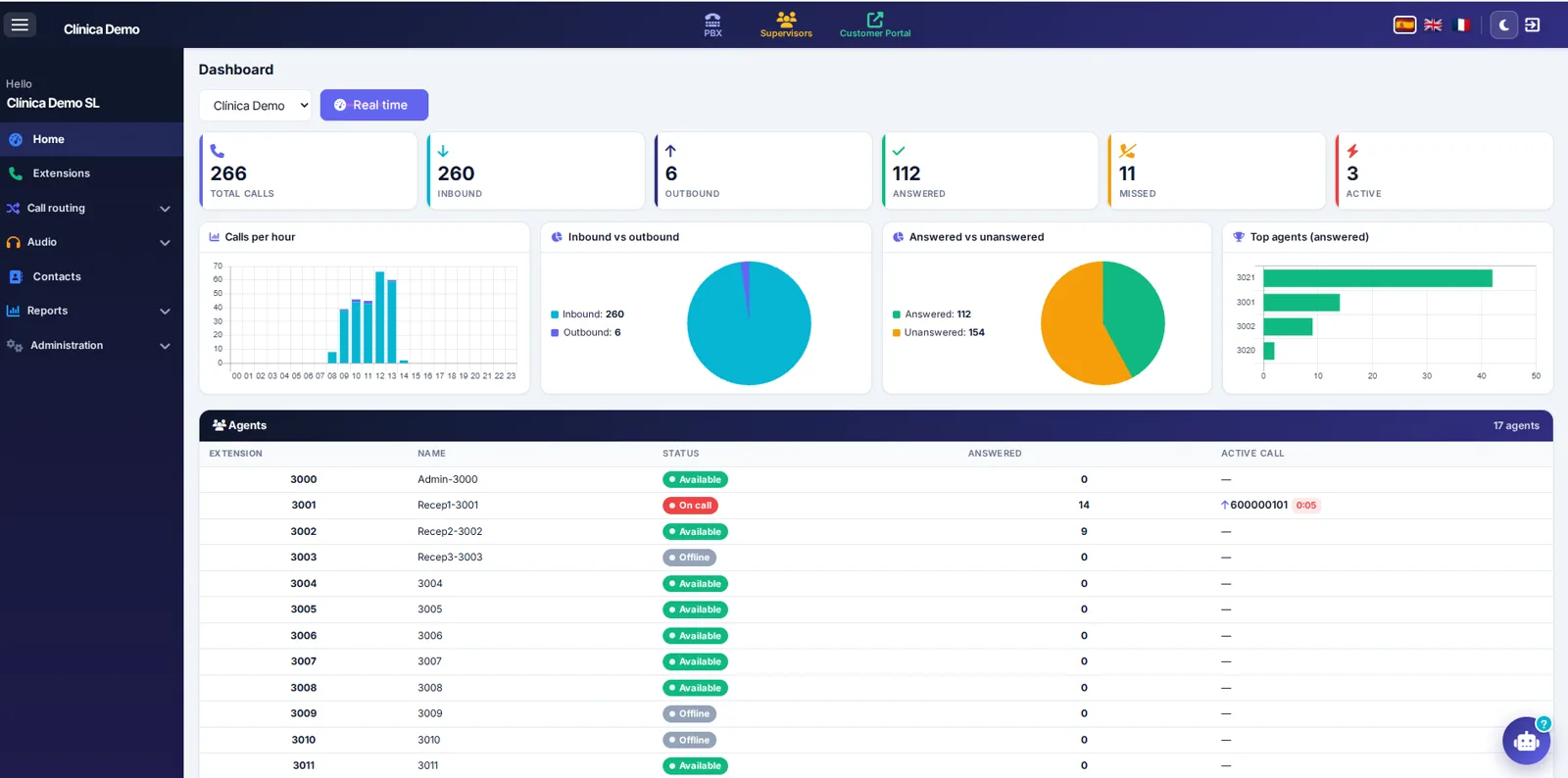
PBX dashboard: today's total calls, inbound, outbound, answered, missed and active, charts of calls per hour and top agents, and a list of extensions with their status. (opens the full-size image in a new tab)
The PBX dashboard: today's call volume, an hour-by-hour breakdown and every extension's status on a single screen. Sample data.
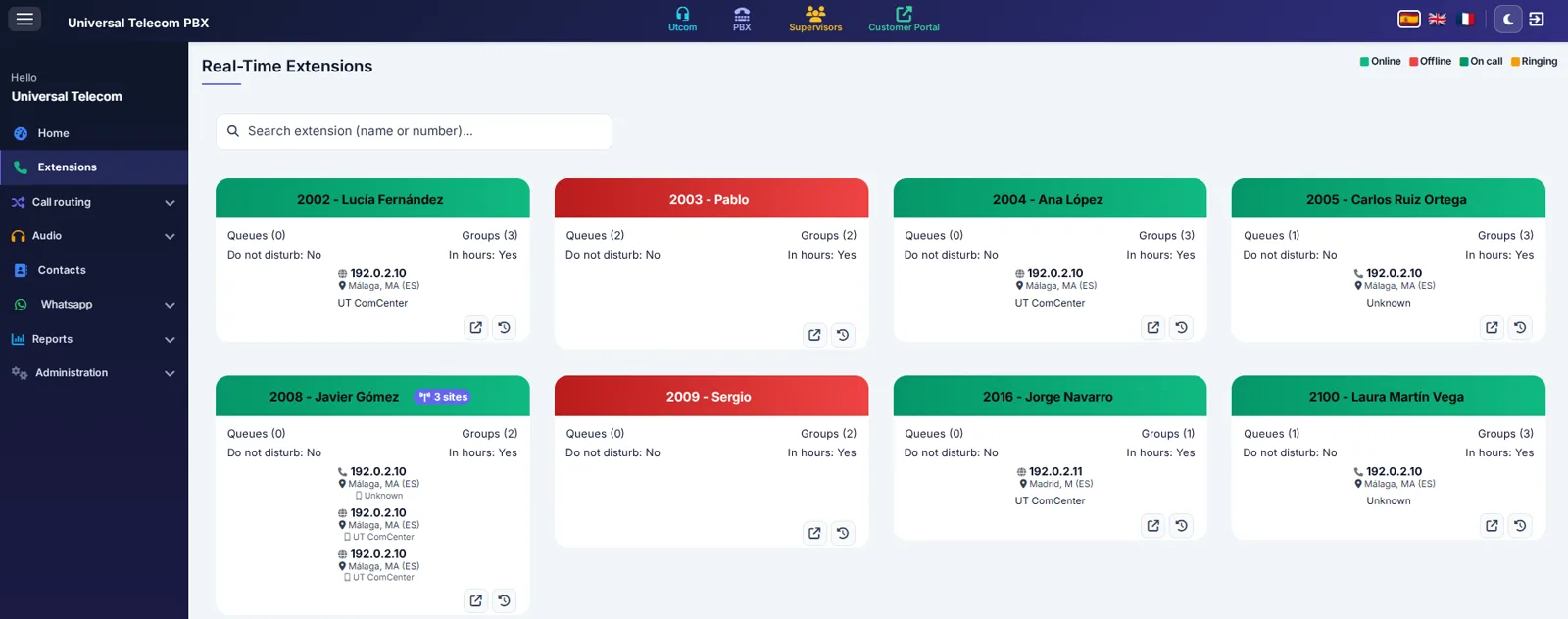
Real-Time Extensions view: one card per extension showing whether it is online or offline, its queues and ring groups, and the device it is connected from. (opens the full-size image in a new tab)
Real-Time Extensions: see at a glance who is online, who is offline and which device each person is answering from. Sample data.
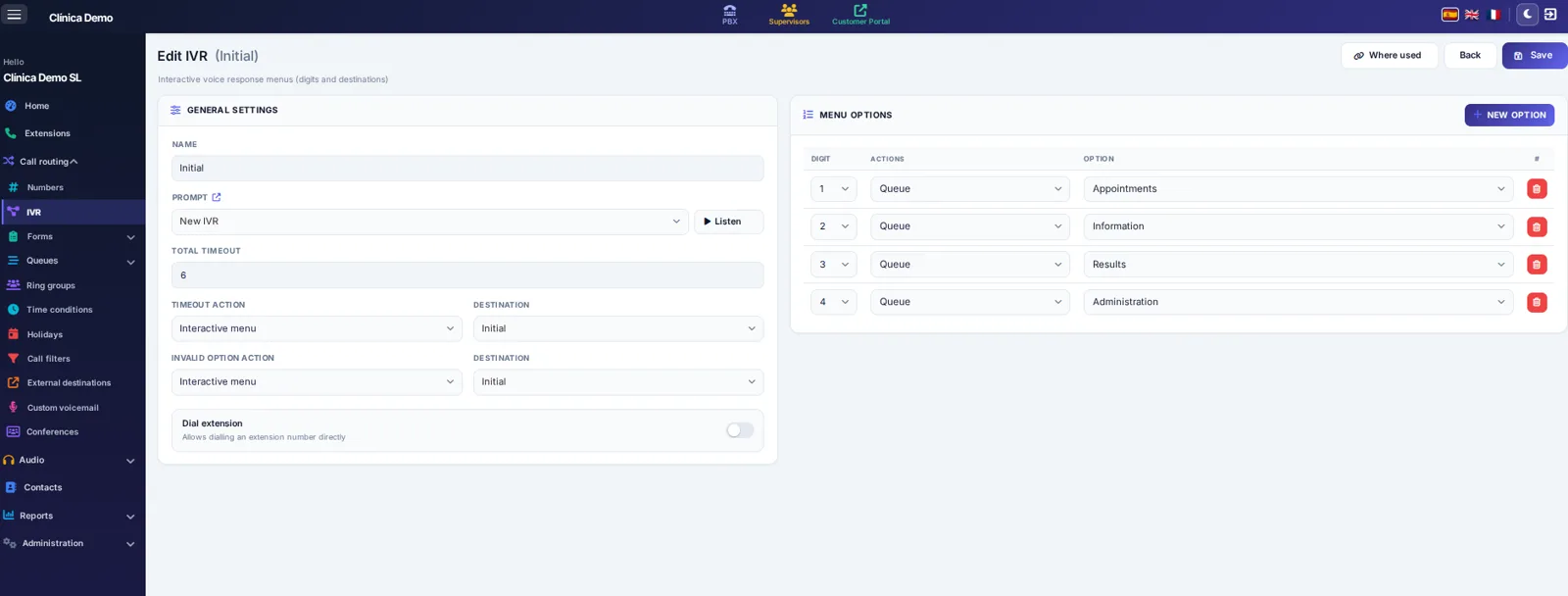
Edit IVR screen: welcome prompt, total timeout, timeout and invalid option actions, and menu options sending each digit, 1 to 4, to a different queue. (opens the full-size image in a new tab)
Setting up an IVR on the PBX: pick the prompt, then choose which queue each key sends callers to. Sample data.
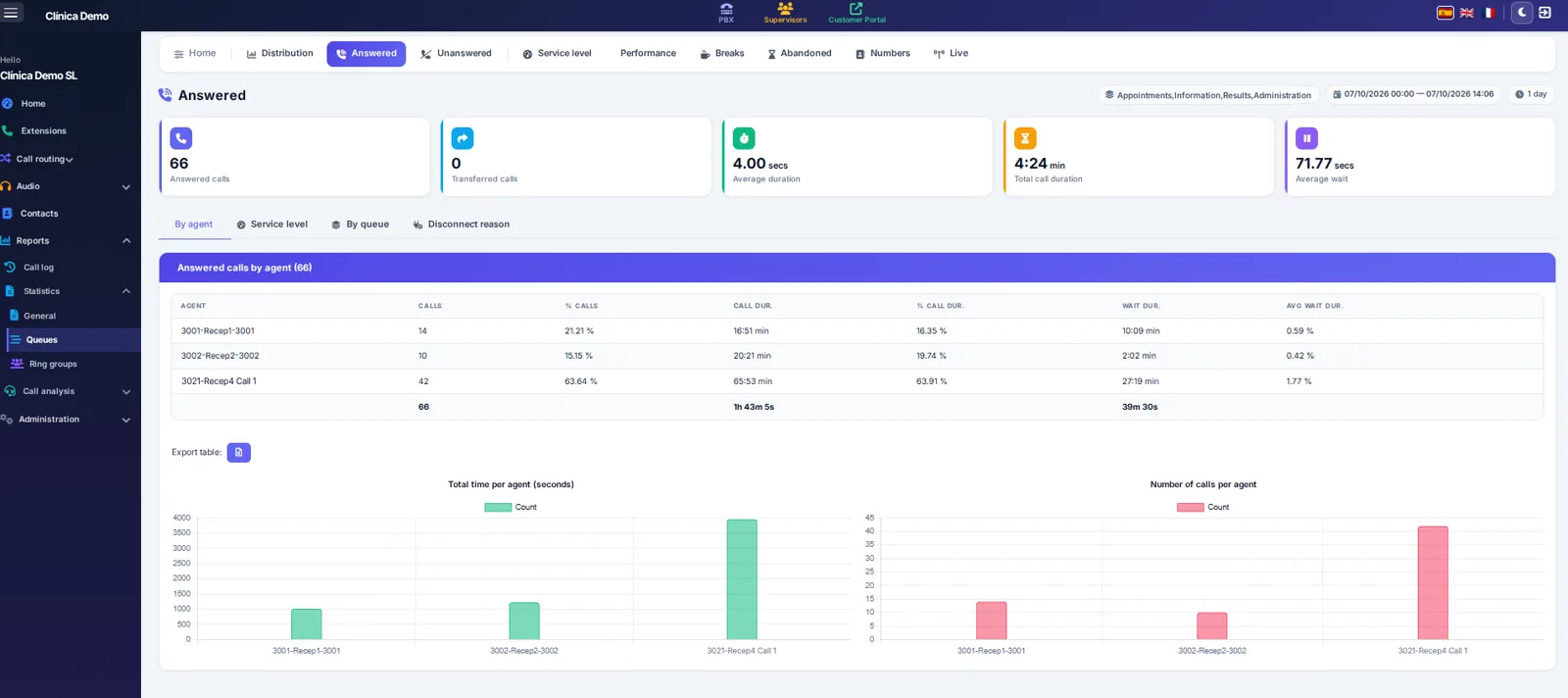
Queue statistics, Answered tab: answered calls, average duration and average wait, a table of answered calls by agent, and charts of total time and number of calls per agent. (opens the full-size image in a new tab)
Queue statistics: how many calls each agent takes, how long they last and how long your callers wait, with a table you can export. Sample data.
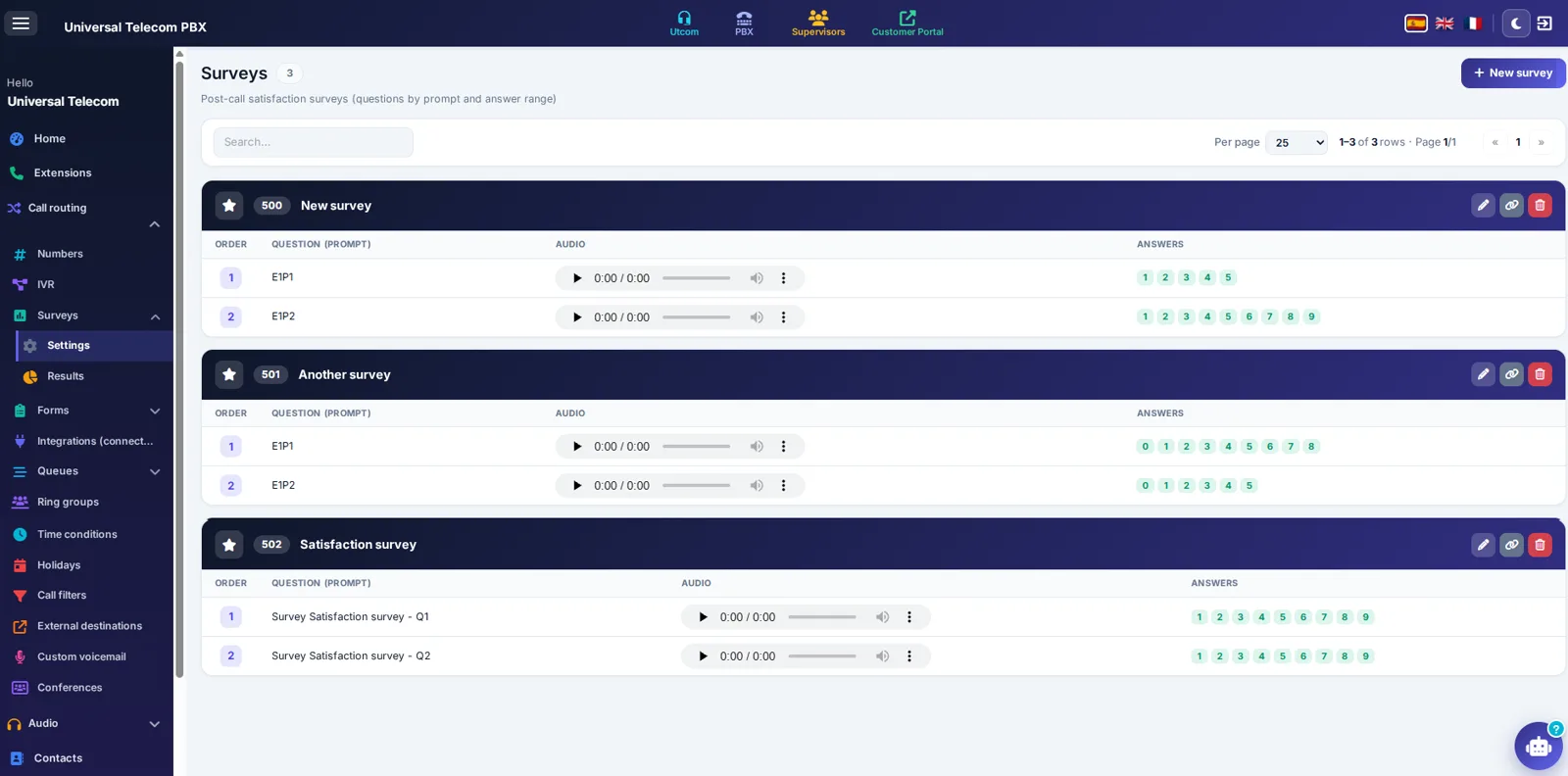
Surveys screen on the PBX: post-call satisfaction surveys, each with its questions recorded as prompts and the accepted answer range. (opens the full-size image in a new tab)
Post-call satisfaction surveys, included with the PBX: each question is a recorded prompt and you set the range of scores callers can give.

Choose your plan

Cloud PBX

€12 /user/month

€14.52 incl. VAT · €10 billed annually · no minimum

  • 1,000 min/user to 50 countries (UK and Ireland included)
  • 5 GB of call recordings per user
  • One number included for every 3 users
  • IVR, call queues, mobile app and webphone

Frequently asked questions

Do I need any hardware?

No. The PBX is fully cloud-based: a browser or our app is all you need. Existing IP phones stay compatible.

Can I keep my numbers?

Yes, we handle number porting for your landlines with no service interruption.

How long does setup take?

Most configurations are up and running within a few hours.

Artificial intelligence

Need AI agents for your communications?

Universal Telecom's conversational AI is offered through our dedicated brand utio.io. Explore WhatsApp and voice agents plus AI call analysis there.

See all AI agents on utio.io  →

Ready to modernise your phone system?

Our experts design the right numbering plan for your organisation, with you.